firstbassman wrote:Yup, will try to do so this weekend.
I know how to get the header in Outlook.
Will have to check how to do so with Yahoo Mail.
Mark, I can already tell you how you'll have to do it in Yahoo mail, as I've had to fight their system when complaining about spam.
1. Display the message.
2. Scroll to the bottom of the message. In the lower right corner, click on the user-unfriendly "Full Headers" link.
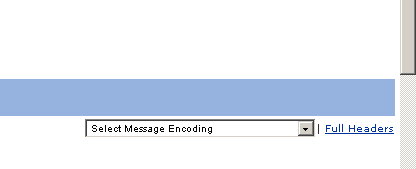
- YahooSpamExample.jpg (7.82 KiB) Viewed 1837 times
3. The e-mail will now be displayed with full headers.
3. DO NOT CLICK ON FORWARD, because, for reasons known only to Yahoo and the Dark Lord it worships,
forwarding removes the full headers (and there is no way to forward a message with full headers as far as I can figure out


).
Instead, left-click-drag from the "X-Apparently-To' in the message through the entire message and copy/paste that to Notepad or some other text editor.
4. In the message, position the cursor over the link and see whether the displayed link in the lower left of the screen matches the printed link:
If they don't match (I'm guessing they won't), it means that the spammer has fraudulently disguised the link. To copy the actual link (not just the printed text), place the cursor over the printed link,
right click on it, and select Copy Link Location from the menu displayed. Go to the copied message in Notepad (or whatever text editor you used) , place the cursor below the printed link in the message (make an extra line/space if needed), and paste the actual link below it. This is important because Peter will need to know where the illegal "login" page is actually located (it probably will be different from the ISP from which the e-mail was sent).
5. In Notepad (or whatever text editor you used), copy the entire message and paste it into a PM or new e-mail to Peter.
Throw the book at them, Peter!