
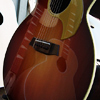
My first ricky !!! Need advices....620/12
Moderators: rickenbrother, ajish4


I'd also like to comment that the R tail-piece looks too big for the 620, to me. How do you set the intonation and change strings, in such tight quarters ? The 660-12, on the other hand, looks right with the trapeze, and much easier to work with it. Put a trapeze on there, they look great, you won't regret it. If you love the R tail-piece so much, well, you know, you can always get another Ric !! Welcome to the circus !!
"Say what you like about the tenets of national socialism, Dude, at least it's an ethos." - Walter Sobchak.
-
buttshaker
- New member
- Posts: 7
- Joined: Mon Mar 13, 2006 12:25 am
Hi !
Well, lots of answers !
Yeah, the ability to change strings / fine tune them is my biggest concern, but I love the look of the R tail...I don't know what to do..and i don't play that much above 5th fret so it may be ok with the 6-saddles one, although i have to tune it. And, I'm surprised as how LOUD the high-gain pickups sound !! Maybe to much, i'll have to dig on this later. All in all, as i love the guitar as it is, I may look for a 660 in the future...or a 330/12 with toasters. Don't know.
Ok now for the pictures...i had a hard time put them here...this seems to be an old forum method...anyway..
You have your pics on your drive.
When you create a message, you click on "attachment" and then you send a picture to the forum. The pic must NOT be bigger than 35k, something like that (can't remember) and it's longest side must be 500 pixels no more. When the file is uploaded the server will send you and place in your post a HTML code that look like this xxxx is the code your picture has. place this code wherever your want in your topic and the ile will be displayed.
Hope that's clear, i'm sure it's not !!!!
julien
Well, lots of answers !
Yeah, the ability to change strings / fine tune them is my biggest concern, but I love the look of the R tail...I don't know what to do..and i don't play that much above 5th fret so it may be ok with the 6-saddles one, although i have to tune it. And, I'm surprised as how LOUD the high-gain pickups sound !! Maybe to much, i'll have to dig on this later. All in all, as i love the guitar as it is, I may look for a 660 in the future...or a 330/12 with toasters. Don't know.
Ok now for the pictures...i had a hard time put them here...this seems to be an old forum method...anyway..
You have your pics on your drive.
When you create a message, you click on "attachment" and then you send a picture to the forum. The pic must NOT be bigger than 35k, something like that (can't remember) and it's longest side must be 500 pixels no more. When the file is uploaded the server will send you and place in your post a HTML code that look like this
xxxx is the code your picture has. place this code wherever your want in your topic and the ile will be displayed. Hope that's clear, i'm sure it's not !!!!
julien
-
buttshaker
- New member
- Posts: 7
- Joined: Mon Mar 13, 2006 12:25 am

Jere, I think that the most difficult part of the picture-attachment process is getting the picture to the right size. There should have been some software that came with your digital camera; it should allow you to resize the image through a control panel like this one (Olympus Camedia):

There are two requirements: (1) the larger dimension must be no larger than 500 pixels, and (2) the file size must be smaller than about 30kb. Under File Properties one can see whether a picture meets these crtieria:

(And yes, my Camedia software is a very old program that is not Y2K compliant!)
Here is what the attachment coding looks like in the message as it is being written:

There are two requirements: (1) the larger dimension must be no larger than 500 pixels, and (2) the file size must be smaller than about 30kb. Under File Properties one can see whether a picture meets these crtieria:
(And yes, my Camedia software is a very old program that is not Y2K compliant!)
Here is what the attachment coding looks like in the message as it is being written:
It is better, of course, to know useless things than to know nothing. - Seneca
Almost there, Gary. The final piece to the puzzle is using a 72 dot per inch resolution. This is essential to success; you can get nicely sized images that are well within the size limit. If you do not down-res your images from 180 or 300 dpi or whatever it is your camera uses you will be very unhappy with the posted pictures - they will be compressed beyond recognition.
This REALLY needs to be in the site FAQ.
This REALLY needs to be in the site FAQ.
Listen to that sustain!
I agree, Alan, there should be some sort of mini-tutorial on resizing pictures.
Interestingly, I'm not sure whether my Camedia has an option for using dpi as a unit instead of just pixels (as displayed in the pic above). I'll have to look into that.
Interestingly, I'm not sure whether my Camedia has an option for using dpi as a unit instead of just pixels (as displayed in the pic above). I'll have to look into that.
It is better, of course, to know useless things than to know nothing. - Seneca
-
jingle_jangle
- RRF Moderator
- Posts: 22679
- Joined: Wed Dec 22, 2004 6:00 am
- Contact:
72 dpi is often a default for picture processing media, IME. In any event, it is critical to do the resolution work before posting, although a 300 DPI picture would have to be very small to be accepted by this website.
“I say in speeches that a plausible mission of artists is to make people appreciate being alive at least a little bit. I am then asked if I know of any artists who pulled that off. I reply, 'The Beatles did.”
― Kurt Vonnegut
― Kurt Vonnegut