

Post of picture of you PLAYING your ric
Moderators: rickenbrother, ajish4
-
just_bassics
- Intermediate Member
- Posts: 1244
- Joined: Tue Aug 08, 2006 8:12 am
Someone sent some pics of my band from a Christmas show about a year and a half ago to the singer. He's in all but one - which is very similar to a pic I posted showing the "matching" axes of the 1 guitarist and my FG Laredo...
This one is of me and the singer.

This one is of me and the singer.
Above e-mail is inactive. try ed_ardzinski@**** where **** is Hotmail.com or Yahoo.com. I tend to see things inthe hotmail box quicker...



-
prog_rockin_metal_man
- Member
- Posts: 237
- Joined: Sat Apr 01, 2006 2:37 pm
- Contact:
I hate to ask this question cause I know it's been asked a million times before but I couldn't find the answer by using the search function...how do I resize a pic so I can upload it to the forum? I just got a camera and I want to post some pics of the Union Jack in action.
I know I could just ask somebody else to post them but I wanna figure out how to do it myself.
I know I could just ask somebody else to post them but I wanna figure out how to do it myself.
"Rickenbacker!"( I shout it out whenever I spot one)
"Rickenbacker makes the best basses in the world!"
"Rickenbacker makes the best basses in the world!"

Matt,
If you've got Irfanview, take the pic and open it in the program.
Go to "Image", then Resize/Resample, from there set the new size. Make sure neither of the sizes is more than 500 then save the file. When you save it it'll ask you for a compression setting, set it between 75-80, then save the file under a new name, make sure you rename it or it'll overwrite your original file.
The file size needs to be less than 35k, so if after you resize it's more than that, delete the new one and try again, either making it smaller, or compressing it more.
If you've got Irfanview, take the pic and open it in the program.
Go to "Image", then Resize/Resample, from there set the new size. Make sure neither of the sizes is more than 500 then save the file. When you save it it'll ask you for a compression setting, set it between 75-80, then save the file under a new name, make sure you rename it or it'll overwrite your original file.
The file size needs to be less than 35k, so if after you resize it's more than that, delete the new one and try again, either making it smaller, or compressing it more.
"It's Red Jim, but not as we know it...."
-
prog_rockin_metal_man
- Member
- Posts: 237
- Joined: Sat Apr 01, 2006 2:37 pm
- Contact:
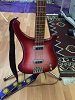
Me playing my '94 4003FG. Don't you just love the fade on this one?
-
prog_rockin_metal_man
- Member
- Posts: 237
- Joined: Sat Apr 01, 2006 2:37 pm
- Contact:



-
jim_morris

- New member
- Posts: 92
- Joined: Fri Jan 12, 2007 7:28 pm