
My 69 comes home!
Moderators: rickenbrother, ajish4
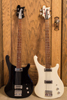
Re: My 69 comes home!
You are always better off using a card reader vs. connecting the camera directly to your computer to download the images.

Re: My 69 comes home!
Jeff, why is that? You've peaked my curiosity now.
Re: My 69 comes home!
The card reader has a faster throughput than using the USB cable with the camera, plus it is safer for the camera should anything go wrong with your computer during the transfer.
Re: My 69 comes home!
Thanks. I figured speed was one reason, but the latter I hadn't considered. If there was a hangup that caused picture storage problems on the camera, you could always re-format the card I suppose.
Re: My 69 comes home!
If your images are still on the card you will lose them when you reformat it. Another thing, it is best to reformat the card with the camera, not the computer. I always use my CF card reader to download my photos into my Mac (  ) and then once I make sure I have everything in the folder I eject the card from the reader and reformat the CF card in my 30D.
) and then once I make sure I have everything in the folder I eject the card from the reader and reformat the CF card in my 30D.-
bassduke49

- Senior Member
- Posts: 6580
- Joined: Wed May 14, 2003 5:00 am
Re: My 69 comes home!
On the other hand, I've never had a problem downloading my Nikon CoolPix 8700 directly into my iMac with the chord supplied with the camera. The camera appears on the desktop as a drive, and then there is a folder inside a folder inside the drive which contains all the photos. I make a new folder on the desktop entitled for the subject of the pictures. I define all in the camera drive folder, then drag all to the new folder, and in about 15 seconds to maybe one minute (depending on how many photos are in the camera/drive), they are copied to the new folder. I can then drag the defined photos in the camera drive folder to trash, but their "space" is still held in the camera. Every hundred or so pictures taken by the camera means it's time to reformat the memory card. With "fine" selected, I get 264 photos before running out of memory on the 1 gig card.
For backup, I copy the photos accumulated in my computer hard drive onto CDs every couple of months. Always use a backup, even with a dependable Mac.
For backup, I copy the photos accumulated in my computer hard drive onto CDs every couple of months. Always use a backup, even with a dependable Mac.
Re: My 69 comes home!
That's because it is a Mac!bassduke49 wrote:On the other hand, I've never had a problem downloading my Nikon CoolPix 8700 directly into my iMac with the chord supplied with the camera.
BTW, what kind of chord came with the Nikon, a G chord?

-
bassduke49
- Senior Member
- Posts: 6580
- Joined: Wed May 14, 2003 5:00 am
Re: My 69 comes home!
Oops. Sorry. Cord. "Chord" is also used in aviation to describe the width (fore to aft) of a wing, so I'm doubly used to using it.