


Posting an image here.


Ok....I am extremely frustrated here....
I am using a photo program called IrFanView...
It allows me to change the size of the photo, such as changing the pixels and dpi. I have changed a particular photo to 377 width and 500 height and 36dpi. When I go to post the pic, it says it is bigger than the 36 kilobytes allowed....how do I change the kilobytes to allow it to fit? I mean the pic is within the 500x500 size.....
I am using a photo program called IrFanView...
It allows me to change the size of the photo, such as changing the pixels and dpi. I have changed a particular photo to 377 width and 500 height and 36dpi. When I go to post the pic, it says it is bigger than the 36 kilobytes allowed....how do I change the kilobytes to allow it to fit? I mean the pic is within the 500x500 size.....
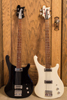
1973 4001 MG cb fwi
1986 4003 Shadow
2012 4004Cii FG w/gold trim
1986 4003 Shadow
2012 4004Cii FG w/gold trim
Jeff...
On this program, it doesn't let me resize that particular thing, it only lets me change the "pixels", like making it 500 x 346 or whatever, is that what you mean? Make it something like 300x200?? ...Or is there a particular way to change the "K's"..??
On this program, it doesn't let me resize that particular thing, it only lets me change the "pixels", like making it 500 x 346 or whatever, is that what you mean? Make it something like 300x200?? ...Or is there a particular way to change the "K's"..??
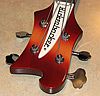
1973 4001 MG cb fwi
1986 4003 Shadow
2012 4004Cii FG w/gold trim
1986 4003 Shadow
2012 4004Cii FG w/gold trim

Chris, dont mess with "set new size". Go on down one notch and use "set new size as percent of original". Shrink your pic by percentage. Also make sure you check the next box, "preserve aspect ratio".
When you think your pic is small enough, save it to a file. When you go to this file, go up to your toolbar, click on "view" and make sure you select "Details", this will show you your pic name, the pic size and other information.
If its to big, simply go back and shrink the percentage a little more until you get it small enough.
When you think your pic is small enough, save it to a file. When you go to this file, go up to your toolbar, click on "view" and make sure you select "Details", this will show you your pic name, the pic size and other information.
If its to big, simply go back and shrink the percentage a little more until you get it small enough.
"Knowledge is Power"


I don't have Irfanview, I use PS 5.5, where when after you've resized the image and you click to save it, a box opens up that allows you to set the "quality" level. As you change that setting a display of the file size in Kbs is shown. I set the quality level so it is no bigger than 35k as sometimes the actual size can be a little bit bigger than that.
I'm glad you got it figured out. Now show us a pic of that 4005 you want!
I'm glad you got it figured out. Now show us a pic of that 4005 you want!